Local-first Chrome extension
10Alert Mail — email notifications for all your accounts.
10Alert Mail is a Chrome extension for monitoring Gmail, Outlook, Microsoft 365 and IMAP accounts in one place, with fast notifications and explicit user-controlled actions.
Preparing for public distribution in the Chrome Web Store
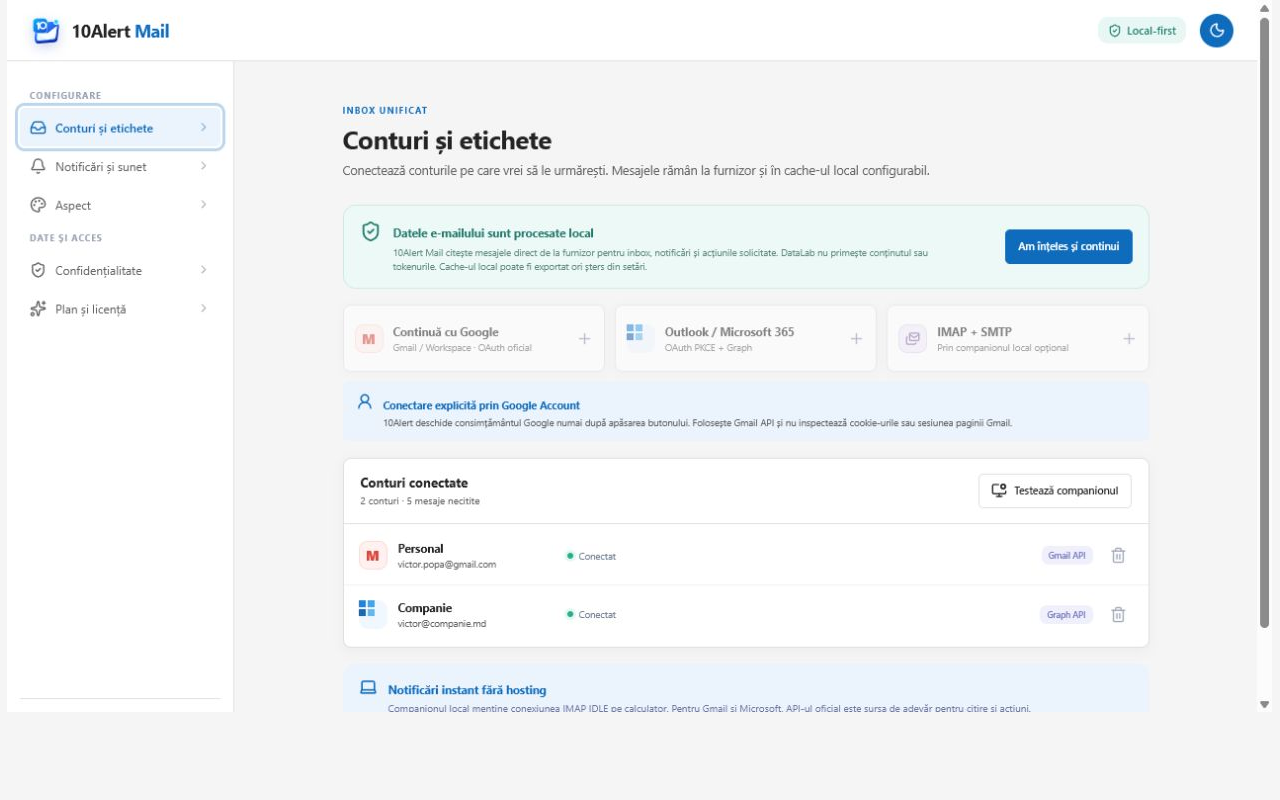
Messages and tokens never reach 10Alert servers.
One inbox surface, several providers
Useful alerts without another email service.
10Alert Mail is an extension with an optional local companion. It does not host your inbox or replace your provider.
- Separately authorized accounts
Each Google or Microsoft account is explicitly selected and authorized by the user. Passwords are never silently imported.
- Notifications and actions
See unread mail and perform visible actions such as read, star, archive, labels or move to Trash.
- Official Gmail and Microsoft APIs
The app talks directly to Gmail API and Microsoft Graph using OAuth, without a 10Alert message proxy.
- Optional local IMAP
The Native Messaging companion can connect directly to an IMAP/SMTP server configured by the user.
- Controlled exposure
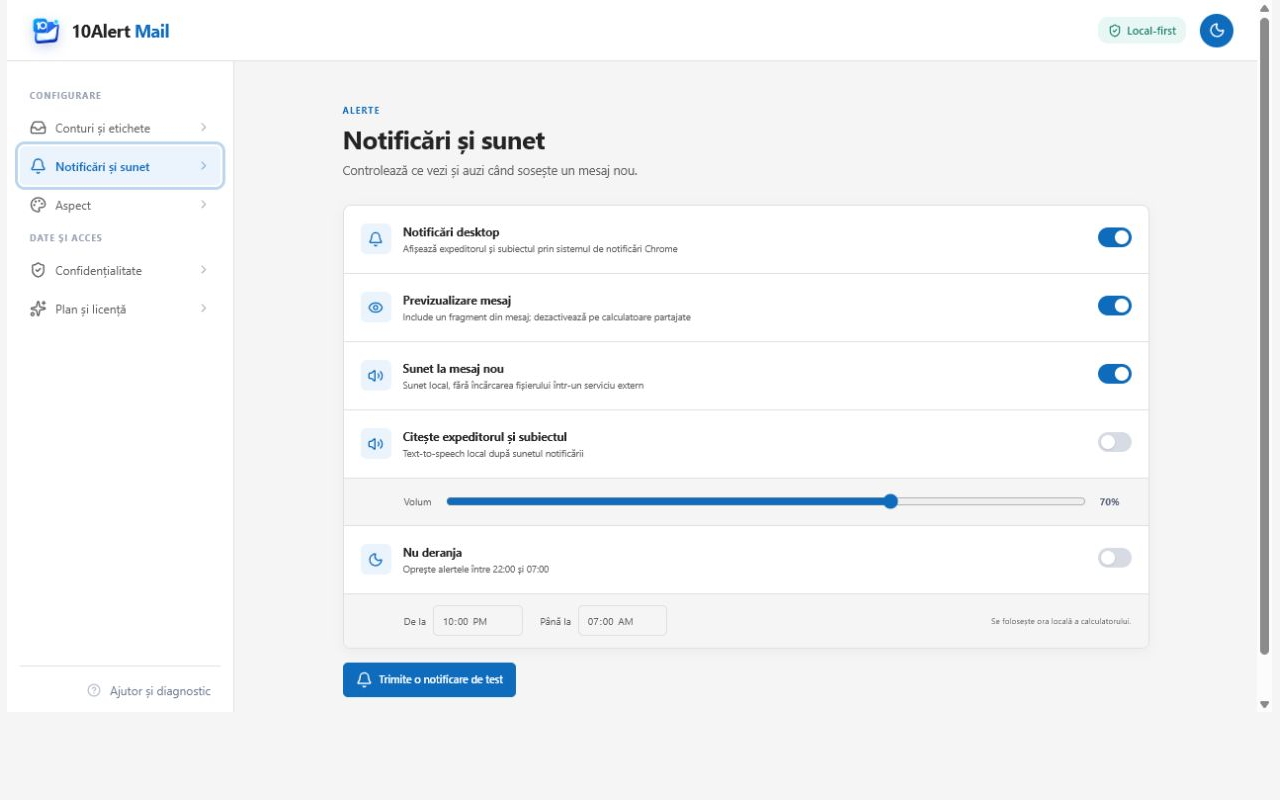
Choose whether notifications show only “New message”, the sender, subject or a message snippet.
- No advertising or tracking
The site and described edition do not use ad analytics, unrelated profiling or personal-data sales.
Local-first
Your provider remains the source of truth.
The extension requests only the access needed for visible features. Cache, preferences and additional authorizations remain local and can be deleted by the user.
Gmail uses the restricted gmail.modify scope to read the inbox and perform user-requested actions.
- 1You choose the account
Google or Microsoft presents its own authorization screen.
- 2The extension connects directly
Requests travel from your device to the provider's official API.
- 3Data stays local
Configurable cache and required tokens are not sent to 10Alert infrastructure.
- 4You stay in control
Disconnect an account, revoke access and erase local data at any time.
Visible control
Notifications adapt—not your inbox.
Sound, polling, privacy level and Do Not Disturb are configured inside the extension.
Frequently asked questions
Access explained before connection.
Why does 10Alert Mail request gmail.modify?
To display mail and perform the actions you select: read/unread, star, archive, labels and move to Trash. Read-only scopes cannot perform those actions.
Can 10Alert see my messages?
No. Gmail is accessed directly from your device through Gmail API. Messages and tokens are not transmitted to or stored on 10Alert servers.
How do I add more Google accounts?
Each account is selected separately in Google's official account chooser. The local companion uses OAuth with PKCE for additional accounts and encrypts the token on the device.
How do I remove all data?
Disconnect every account and erase cache, settings and local data from the extension. You can also revoke access from Google Account Connections.
Transparent before launch
See exactly what we access and why.
Public documentation describes the Gmail flow, local storage and user controls.
About Google data